Exhibit — Chapter III
Selected digital interfaces — website, dashboard and mobile UI composition
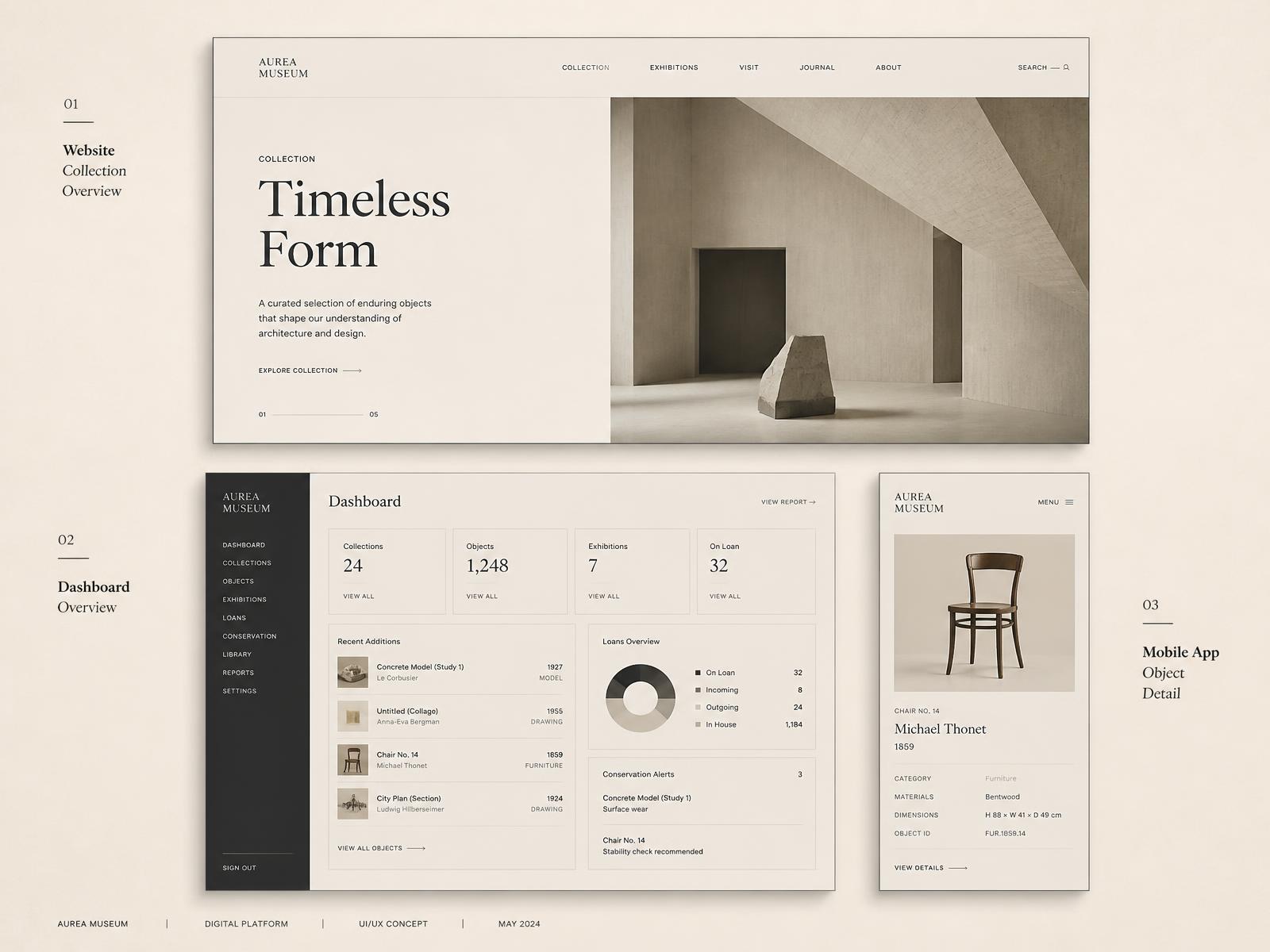
Hero slot — replace with a curated composition of UI screenshots.

Selected Digital Interfaces

A curated selection of websites, dashboards and mobile interfaces developed across freelance digital work.

Digital Product DesignUI / UXWebMobileDashboardFreelance
00 — Introduction

Designing Across Different Digital Contexts

My freelance work spans different products, audiences and business requirements, allowing me to adapt interface systems, visual hierarchy and interaction patterns to each context.

01 — EdTech

Education-Focused Digital Products

Website and dashboard interfaces designed for education-focused digital products.

Asset pendingEdTech website interface
Replace with the EdTech website screenshot.
Asset pendingEdTech dashboard interface
Replace with the EdTech dashboard screenshot.
Asset pendingEdTech secondary page
Asset pendingEdTech feature detail
02 — IT Solutions

Technology-Focused Business Websites

Website interfaces designed for technology-focused businesses, balancing clear information architecture with a strong visual system.

Asset pendingIT Solutions website — homepage
Replace with the IT Solutions homepage screenshot.
Asset pendingIT Solutions website — service page
Replace with the IT Solutions service page screenshot.
Asset pendingIT Solutions website — case study
Asset pendingIT Solutions website — about page
Asset pendingIT Solutions website — contact page
03 — Mobile & Dashboard

Applications and Operational Tools

Mobile application and dashboard interfaces developed across different digital product requirements.

Asset pendingMobile application screen
Replace with the mobile app screenshot.
Asset pendingMobile application flow
Replace with the mobile app flow screenshot.
Asset pendingDashboard interface
Replace with the dashboard screenshot.
Asset pendingDashboard wide view
Asset pendingMobile detail screen
04 — Approach

Across Products, One Design Approach

Different products require different visual languages, but the fundamentals remain the same: understand the requirement, structure the information and create an interface that works for its users and business objectives.

05 — Full collection

Explore the Complete Interface Collection

Explore the complete set of screens, flows and interface explorations through Figma.

Explore Full UI Collection →